
Authentication Methods
VSKI supports three main authentication methods:
- Email/Password - Traditional username and password authentication
- API Keys - For service-to-service authentication
- OAuth2 - Third-party identity providers (Google, GitHub, etc.)
Email/Password Authentication
Section titled “Email/Password Authentication”User Login
Section titled “User Login”from vski import VskiClient
async with VskiClient("http://127.0.0.1:3000") as client: # Login with email and password (also sets the client token) result = await client.auth.login("user@example.com", "password123") print(result["token"]) # JWT token print(result["user"]) # user recordThe login method returns:
token: JWT token for authenticated requestsuser: Full user record including email, name, etc.
Set Authentication Token
Section titled “Set Authentication Token”client.set_token(result["token"])
# Then use the client normallyuser = await client.auth.me()Get Current User
Section titled “Get Current User”user = await client.auth.me()print(user["id"], user["email"], user.get("name"))print(user.get("verified")) # email verification statusUser Registration
Section titled “User Registration”user = await client.auth.register({ "email": "newuser@example.com", "password": "SecurePassword123!", "passwordConfirm": "SecurePassword123!", "name": "John Doe",})Note: Password hashing is handled automatically. The user is created in the configured default auth collection.
Email Verification
Section titled “Email Verification”Email verification and password-reset endpoints are not exposed by the SDK
yet; watch the changelog. The command line bootstrap path for the first account is
the /installer page or POST /api/admins/init (see
Getting Started).
Admin Authentication
Section titled “Admin Authentication”Every deployment has an admin (superuser) account for administrative tasks:
# Login as admin (also sets the client token)result = await client.admins.auth_with_password(    "admin@example.com", "password123")
# The admin client has access to settings and management endpointscollections = await client.settings.collections.get_list()
From the command line: vski login stores the admin JWT in ~/.vski/config.json.
Important: Change the default admin password immediately in production!
API Key Authentication
Section titled “API Key Authentication”API keys are ideal for service-to-service authentication or worker processes.
Creating API Keys
Section titled “Creating API Keys”vski keys create worker --roles service # raw key printed exactly once# Admin-only SDK callapi_key = await client.keys.generate({ "name": "Worker Service", "enabled": True, "roles": "service", # comma-separated: admin, service, workflows, plugin})print(api_key["key"]) # the actual API key (only shown once)print(api_key["id"]) # reference ID for the keyUsing API Keys
Section titled “Using API Keys”client.set_api_key("vski_...") # sent as X-API-Key on every request
records = await client.collection("posts").get_list(1, 20)Managing API Keys
Section titled “Managing API Keys”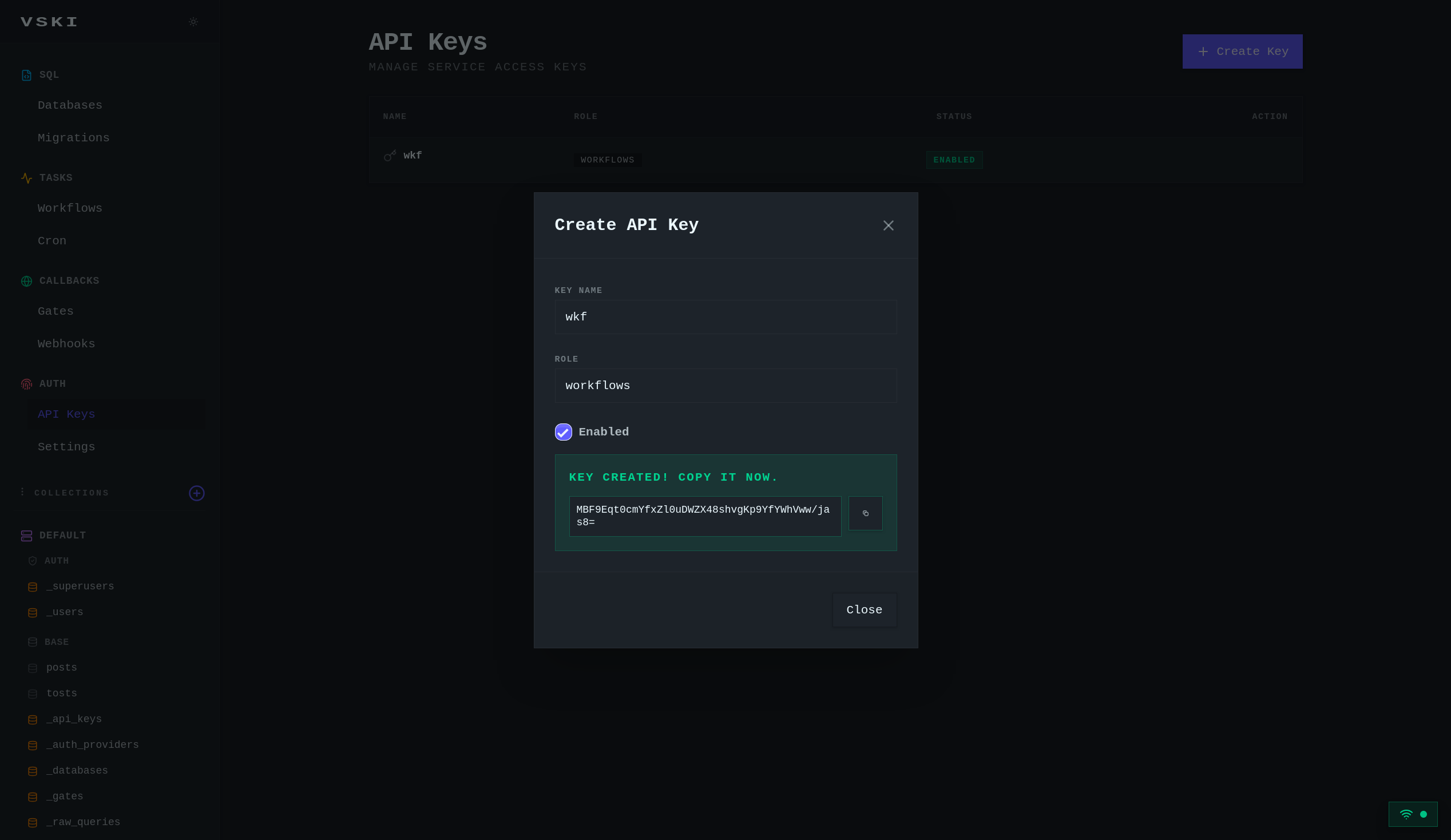
OAuth2 Authentication
Section titled “OAuth2 Authentication”VSKI supports OAuth2 for third-party identity providers.
Available Providers
Section titled “Available Providers”methods = await client.auth.list_methods()print(methods["oauth2"]["providers"])# [# {"name": "google", "displayName": "Google"},# {"name": "github", "displayName": "GitHub"},# ...other providers# ]OAuth2 Flow
Section titled “OAuth2 Flow”# Exchange the authorization code (obtained from the provider's callback)# for a VSKI JWT tokenauth_data = await client.auth.auth_via_oauth2( "google", "authorization-code-from-callback", "http://127.0.0.1:3000/auth/callback",)print(auth_data["token"])print(auth_data["user"])Note: The OAuth2 flow requires obtaining the authorization code separately from
the OAuth provider. The auth_via_oauth2 method exchanges the code for a JWT
token.
Authentication Middleware
Section titled “Authentication Middleware”The SDK automatically includes the authentication token in request headers:
client.set_token("your-jwt-token")# all subsequent requests include:#   Authorization: Bearer your-jwt-token
client.set_api_key("vski_...")# all subsequent requests include:#   X-API-Key: vski_...
Custom Database Authentication
Section titled “Custom Database Authentication”When using multiple databases, scope the client (or a sub-client) to a specific database; auth flows then resolve against that database:
client.set_db("my-database")
# or a database-scoped client that shares the connectiondb_client = client.db("my-database")
Per-collection auth (an auth collection other than the default) goes through the collection itself:
result = await client.collection("_users").auth_with_password( "user@example.com", "password123")User Collections
Section titled “User Collections”Creating Auth Collections
Section titled “Creating Auth Collections”version: 1database: default
collections: _users: type: auth fields: - {name: email, type: email, required: true} - {name: password, type: text, required: true} - {name: name, type: text} - {name: avatar, type: url}Auth collections automatically include:
id: Unique identifieremail: Email addresscreated: Creation timestampupdated: Last update timestamp
Note: The collection’s fields define the additional attributes available on user records.
Authentication Errors
Section titled “Authentication Errors”from vski import VskiError
try: await client.auth.login("user@example.com", "wrong-password")except VskiError as e: if "Invalid credentials" in str(e): print("Wrong email or password") elif e.status_code == 401: print("Unauthorized")Security Best Practices
Section titled “Security Best Practices”- Change default admin password: immediately after first setup
- Use HTTPS in production: always use secure connections
- Rotate API keys: regularly update API keys
- Use strong passwords: enforce password complexity requirements
- Enable email verification: verify user email addresses
- Implement rate limiting: prevent brute force attacks (built in for
auth endpoints via
AUTH_RATE_LIMIT_PER_HOUR) - Store tokens securely: use secure storage for JWT tokens
- Set appropriate token expiration: balance security and user experience
- Use the principle of least privilege: give users only the access they need
Token Management
Section titled “Token Management”Token Refresh
Section titled “Token Refresh”result = await client.auth.refresh() # also sets the new tokenclient.set_token(result["token"])Token Expiration
Section titled “Token Expiration”# When a token expires, the SDK raises VskiError with status 401from vski import VskiError
try: await client.collection("posts").get_list(1, 20)except VskiError as e: if e.status_code == 401: # token expired: re-authenticate result = await client.auth.login(email, password) client.set_token(result["token"])Role-Based Access Control (RBAC)
Section titled “Role-Based Access Control (RBAC)”VSKI integrates with collections to implement role-based access:
# a roles lookup collectioncollections: _roles: type: base fields: - {name: name, type: text, required: true} - {name: permissions, type: json}# assign a role to a userawait client.collection("_users").update("user-id", {"role": "editor"})Access is enforced by collection rules referencing the role (see Rules and Access Control):
collections: posts: rules: create: "@request.auth.role = 'editor'" list: "'editor' in @request.auth.roles OR published = true"API Endpoints
Section titled “API Endpoints”| Method | Endpoint | Description |
|---|---|---|
POST | /api/auth/login | Login with email/password |
POST | /api/auth/register | Register new user |
POST | /api/auth/refresh | Refresh JWT token |
GET | /api/auth/methods | List auth providers |
GET | /api/auth/me | Get current user |
GET | /api/auth/oauth2-login | OAuth2 code exchange |
POST | /api/admins/auth-with-password | Admin authentication |
POST | /api/admins/init | Initialize first admin |
GET | /api/admins/has-admins | Check if admins exist |
GET | /api/admins/me | Get current admin |
POST | /api/keys | Generate API key |
POST | /api/collections/{collection}/auth-with-password | Collection-specific auth |