
Cron Jobs
Cron jobs allow you to schedule recurring tasks to run at specific intervals. VSKI supports SQL-based, HTTP-based and pipeline-based cron jobs for different use cases. Pipelines can also carry their own cron triggers in their definition; those do not create cron-job rows.
Cron jobs are declared in the IaC YAML (see IaC) and applied with
vski apply; vski cron list shows what is live.
Note Cron jobs are disabled on replicas. Only exceptions are SQL tasks in the replica’s own
stats.dbandworkflows.db, which are not replicated.
Declaring Cron Jobs
Section titled “Declaring Cron Jobs”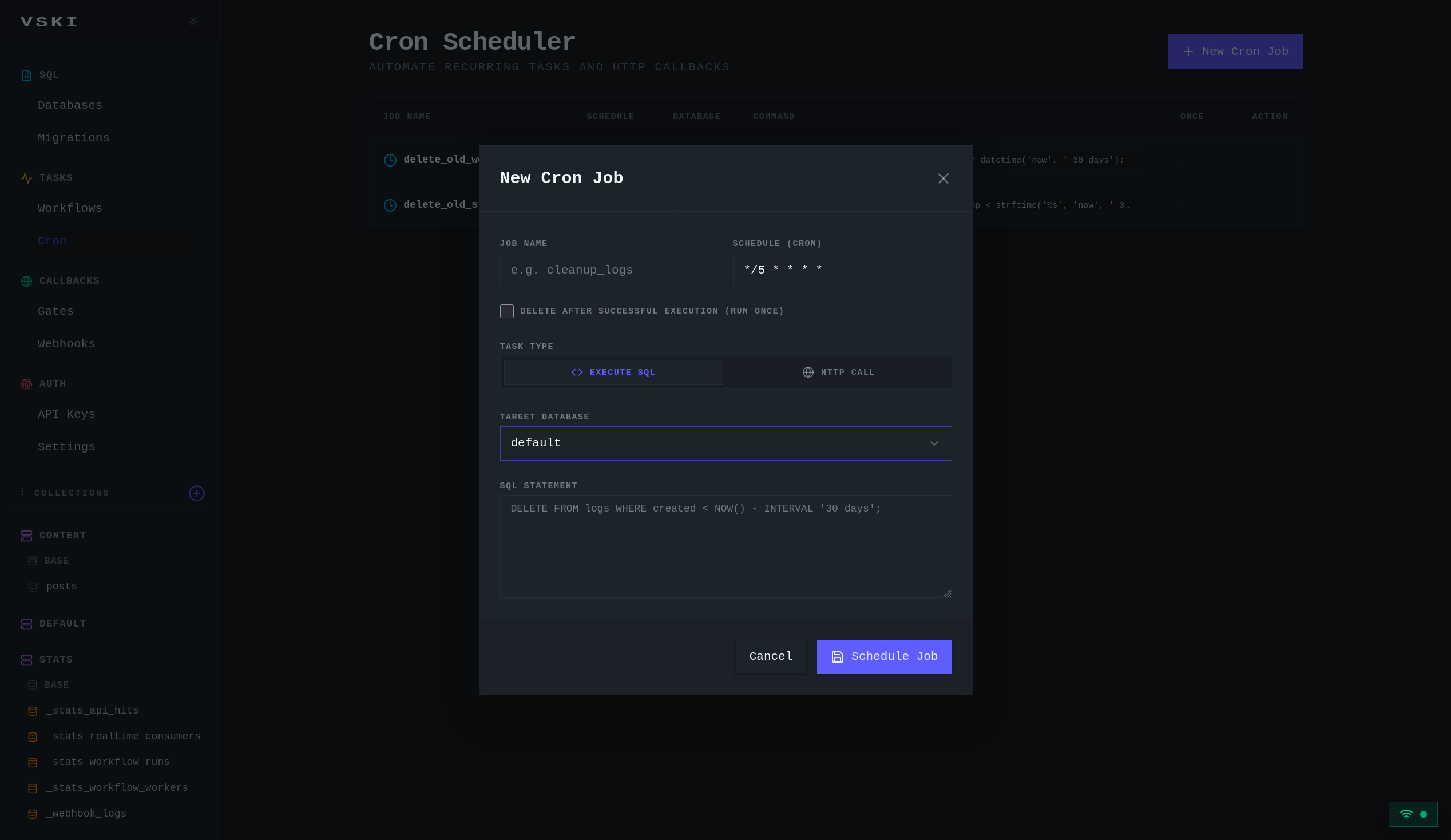
SQL Cron Jobs
Section titled “SQL Cron Jobs”Execute SQL queries on a schedule:
version: 1database: default
cron:  daily-cleanup:    schedule: "0 2 * * *"        # 2 AM daily    type: sql    sql: "DELETE FROM logs WHERE created < datetime('now', '-30 days')"
Target Database
Section titled “Target Database”By default, SQL jobs execute against the default database. You can specify
a target database:
cron: cleanup-tenant-logs: schedule: "0 2 * * *" type: sql database: tenant1 # execute against a specific database sql: "DELETE FROM logs WHERE created < datetime('now', '-30 days')"This is useful in multi-tenant scenarios where each tenant has their own database.
HTTP GET Cron Jobs
Section titled “HTTP GET Cron Jobs”Make HTTP GET requests to external services:
cron: health-check: schedule: "*/5 * * * *" # every 5 minutes type: http url: https://api.example.com/health method: GET headers: Authorization: "Bearer your-token"HTTP POST Cron Jobs
Section titled “HTTP POST Cron Jobs”Send data to external endpoints:
cron: daily-report: schedule: "0 8 * * *" # 8 AM daily type: http url: https://api.example.com/reports method: POST headers: Content-Type: application/json X-API-Key: your-api-key body: '{"type": "daily"}' contentType: jsonPipeline Kicks
Section titled “Pipeline Kicks”Starts a pipeline run. The pipeline must exist and be
enabled; the run starts with no input and a cron trigger context
({{trigger.type}} == 'cron').
cron: nightly-backfill: schedule: "0 3 * * *" type: http url: "pipeline://backfill" # pipeline://<pipeline-name> once: true # one-shot fire on demandFor recurring schedules prefer a cron trigger inside the pipeline definition: it is registered and retired automatically with the pipeline and does not pollute the cron-job list.
Cron Schedule Syntax
Section titled “Cron Schedule Syntax”VSKI uses standard cron syntax with 5 fields:
* * * * *│ │ │ │ ││ │ │ │ └─ Day of week (0-6, Sunday = 0)│ │ │ └─── Month (1-12)│ │ └───── Day of month (1-31)│ └─────── Hour (0-23)└───────── Minute (0-59)Common Schedules
Section titled “Common Schedules”| Expression | Meaning |
|---|---|
*/5 * * * * | Every 5 minutes |
0 * * * * | Every hour |
0 0 * * * | Daily at midnight |
0 2 * * * | Daily at 2 AM |
0 0 * * 0 | Weekly on Sunday at midnight |
0 0 1 * * | Monthly on the 1st at midnight |
0 9 * * 1-5 | Every weekday at 9 AM |
0 */6 * * * | Every 6 hours |
0 6,18 * * * | Twice a day (6 AM and 6 PM) |
*/30 9-17 * * * | Every 30 minutes during business hours |
Managing Cron Jobs
Section titled “Managing Cron Jobs”The YAML is the source of truth; removing a job from the file (or marking it
state: absent) and applying deletes it.
vski cron listvski cron rm daily-cleanup # imperative alternativejobs = await client.cron.list()for job in jobs: print(job["name"], job["schedule"], job.get("database"), job["active"])Cron Job Configuration
Section titled “Cron Job Configuration”All keys available on a cron: entry:
cron: my-job: state: present # or absent to delete schedule: "0 2 * * *" # cron expression type: sql # sql | http # --- sql jobs --- database: default # target database (sql jobs, default: default) sql: "DELETE FROM logs WHERE created < datetime('now', '-30 days')" # --- http jobs --- url: https://api.example.com/hook method: POST # GET | POST | PUT | DELETE headers: {Authorization: "Bearer t"} body: '{"k": "v"}' contentType: json # json | urlencoded retryLimit: 5 jwtEnabled: false once: false # one-shot fire on demandPractical Examples
Section titled “Practical Examples”Database Cleanup
Section titled “Database Cleanup”cron: cleanup-old-logs: # daily, default database schedule: "0 2 * * *" type: sql sql: "DELETE FROM logs WHERE created < datetime('now', '-30 days')"
cleanup-tenant-logs: # same, in a tenant database schedule: "0 2 * * *" type: sql database: tenant_acme sql: "DELETE FROM logs WHERE created < datetime('now', '-30 days')"
purge-deleted: # weekly: delete soft-deleted records schedule: "0 3 * * 0" type: sql sql: "DELETE FROM records WHERE deletedAt IS NOT NULL AND deletedAt < datetime('now', '-7 days')"Data Aggregation
Section titled “Data Aggregation”cron: daily-stats: schedule: "0 0 * * *" type: sql sql: "INSERT INTO daily_stats (date, metric, value) SELECT date(created) as date, 'views' as metric, SUM(views) as value FROM posts WHERE date(created) = date('now', '-1 day') GROUP BY date(created)"External Service Integration
Section titled “External Service Integration”cron: sync-to-crm: # every 2 hours schedule: "0 */2 * * *" type: http url: https://crm.example.com/sync method: POST headers: Authorization: "Bearer ${CRM_API_KEY}" Content-Type: application/json body: '{"source": "vski"}' contentType: json
health-monitor: # every 5 minutes schedule: "*/5 * * * *" type: http url: https://monitor.example.com/health/vski method: POST headers: Content-Type: application/json body: '{"status": "ok"}'Backup Tasks
Section titled “Backup Tasks”cron: daily-backup: # trigger backup via webhook, 1 AM daily schedule: "0 1 * * *" type: http url: https://backup-service.com/trigger method: POST headers: Authorization: "Bearer ${BACKUP_API_KEY}" body: '{"database": "production"}'
log-backup-status: # record completion, 2 AM daily schedule: "0 2 * * *" type: sql sql: "INSERT INTO backup_logs (date, status, notes) VALUES (datetime('now'), 'completed', 'Daily backup')"Email Reports
Section titled “Email Reports”cron: daily-email-report: schedule: "0 9 * * *" # 9 AM daily type: http url: https://email-service.com/send method: POST headers: Authorization: "Bearer ${EMAIL_API_KEY}" Content-Type: application/json body: '{"template": "daily-report", "recipients": ["admin@example.com"], "data": {"source": "vski"}}'Cache Warming
Section titled “Cache Warming”cron: cache-warmup: schedule: "*/10 * * * *" type: http url: https://api.example.com/cache/warm method: POST headers: Authorization: "Bearer ${API_KEY}" body: '{"keys": ["popular", "featured"]}'Cron Job Execution
Section titled “Cron Job Execution”Cron jobs execute automatically based on their schedule. The system:
- Checks for jobs due to run every minute
- Executes the job (SQL query or HTTP request)
- Logs the execution result
- Handles errors appropriately
- Continues on schedule even if previous runs fail
Error Handling
Section titled “Error Handling”SQL Job Errors
Section titled “SQL Job Errors”# SQL errors are logged but don't stop the job from running againcron: risky-sql-job: schedule: "0 0 * * *" type: sql sql: "DELETE FROM temp_table" # may fail if the table doesn't existHTTP Job Errors
Section titled “HTTP Job Errors”# HTTP job errors are logged with status code and responsecron: external-api-call: schedule: "*/30 * * * *" type: http url: https://api.example.com/sync method: POST headers: Authorization: "Bearer expired-token"# will fail with 401, log the error, and retry on the next scheduleBest Practices
Section titled “Best Practices”- Test schedules: test cron expressions with tools like crontab.guru
- Use specific times: avoid running all jobs at the same time
- Error handling: make jobs resilient to transient failures
- Logging: include logging in SQL jobs for debugging
- Time zones: be aware of server time zone when setting schedules
- Resource limits: avoid heavy operations during peak hours
- Idempotency: make HTTP jobs idempotent to handle retries
- Monitoring: monitor cron job execution and failures
- Backup: back up data before running destructive SQL jobs
- Documentation: the YAML is the documentation
API Endpoints
Section titled “API Endpoints”| Method | Endpoint | Description |
|---|---|---|
GET | /api/cron | List all cron jobs |
POST | /api/cron | Create new cron job |
DELETE | /api/cron/:name | Delete cron job |
Testing Cron Jobs
Section titled “Testing Cron Jobs”You can test cron jobs by setting a short schedule for development:
cron: test-job: # runs every minute schedule: "* * * * *" type: sql sql: "INSERT INTO test_log (message) VALUES ('Cron job ran')"# verify execution after a minutepage = await client.collection("test_log").get_list(1, 10)print(page["items"])Remember to update the schedule before deploying to production!