
Migrations
The migrations are defined as YAML files that describe schema changes. The
system keeps track of applied migrations in a dedicated internal table
(_migrations) and compares them against migration files stored on the
filesystem (data/migrations/).
Note Schemas are append-only. You cannot rename columns through the interface. Dropping and renaming columns is a manual task.
Note Tables and columns are always soft-deleted when using the VSKI API. Data migration and breaking changes is an admin task that has to be done carefully and with a cool head.
For day-to-day schema work you rarely touch migrations directly: declare
collections in the IaC YAML and vski apply generates, saves
and applies the migration for you (keeping snapshots and rollback for
free). The commands below are the layer underneath.
Key components:
- Migration Files: YAML files (e.g.,
20240222_100000_000_add_users_table.yaml) stored indata/migrations/. Each file contains the “up” (apply) and “down” (rollback) operations to modify the schema. _migrationsTable: An internal VSKI table that records which migrations have been successfully applied to a database. It stores the migration version, name, and a snapshot of the schema before the migration was applied, enabling reliable rollbacks.- Schema Snapshots: Before a migration is applied, VSKI takes a snapshot of
the current database schema. This snapshot is stored in the
_migrationstable asrollback_data, allowing for accurate schema restoration during a rollback. - Schema Diffing: VSKI can compare the current schema with a target schema (e.g. defined in code) to automatically generate a migration file that captures the differences.
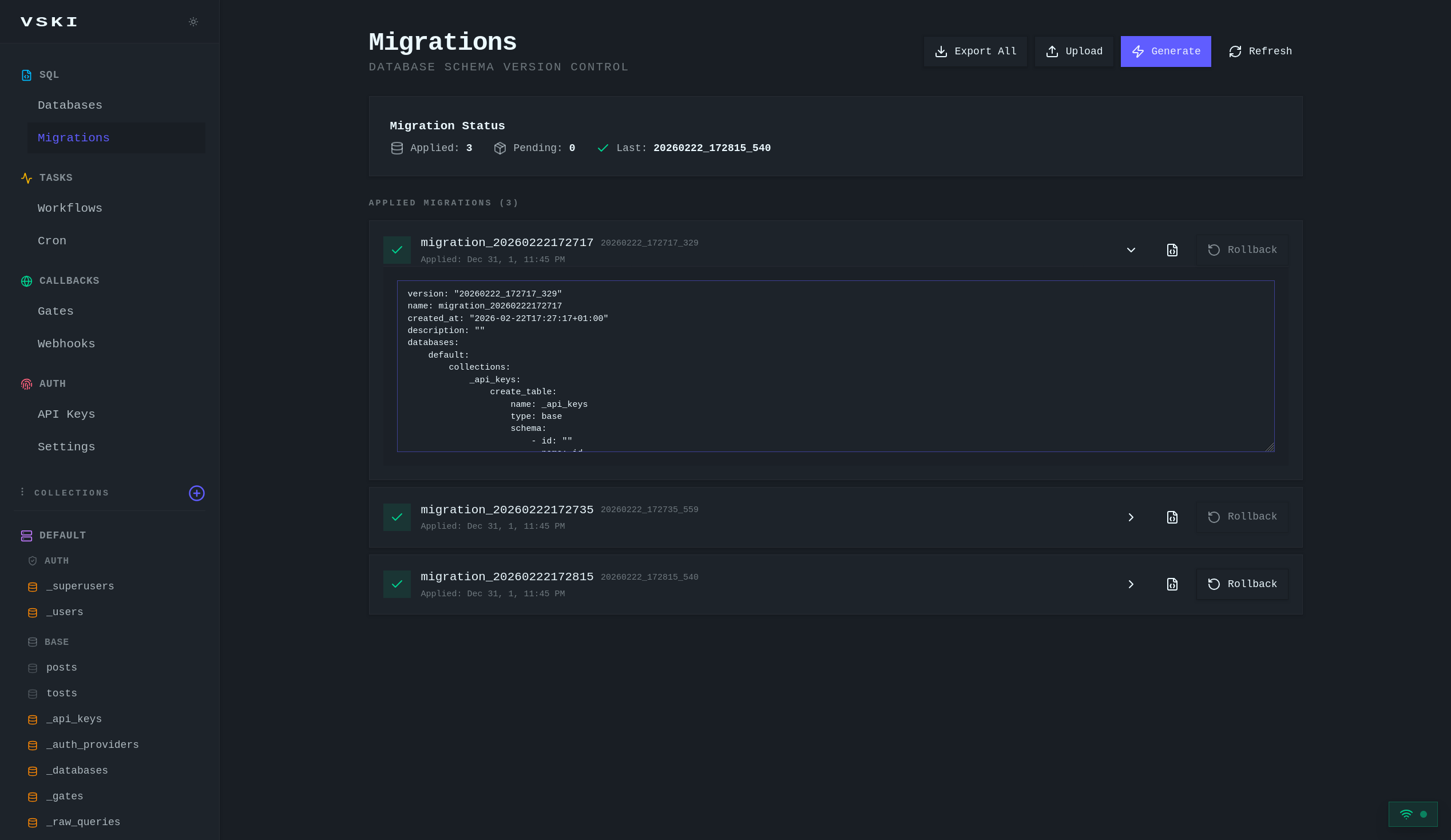
Migration Files
Section titled “Migration Files”Migration files are declarative YAML documents that describe schema changes using collection-level operations instead of raw SQL statements.
Example (data/migrations/YYYYMMDD_HHMMSS_mmm_migration_name.yaml):
version: "20260222_113100_770"name: migration_20260222113100created_at: "2026-02-22T11:31:00+01:00"description: "Add new collections and fields"databases: default: collections: posts: create_table: name: posts type: base schema: - id: 40be1635-a5c9-4489-8e55-0dd0af58bafe name: title type: text required: true unique: false hidden: false system: false default: null - id: 550e8400-e29b-41d4-a716-446655440100 name: content type: text required: false unique: false hidden: false system: false default: null system: false comments: add_columns: - name: post_id type: relation required: false unique: false hidden: false default: null options: toCollection: posts drop_columns: - old_field_name stats: collections: _stats_api_hits: add_indexes: - name: idx_hits_timestamp sql: CREATE INDEX idx_hits_timestamp ON _stats_api_hits (created)Migration Structure
Section titled “Migration Structure”Version: Timestamp-based unique identifier (YYYYMMDD_HHMMSS_mmm) Name:
Human-readable migration name Created At: ISO 8601 timestamp of when
migration was generated Description: Optional description of the migration
Collection Operations
Section titled “Collection Operations”create_table: Creates a new collection with schemadrop_table: Drops a collection (boolean)add_columns: Adds new columns to an existing collectiondrop_columns: Removes columns from collection metadata (soft delete: columns remain in database)add_indexes: Creates new indexesdrop_indexes: Drops indexes by namecreate_views: Creates SQL viewsdrop_views: Drops views by namecreate_fts: Creates a full-text search virtual tabledrop_fts: Drops FTS table (boolean)update_rules: Updates access control rules
- System columns (
id,created,updated) and auth-specific columns are automatically handled - Column changes are tracked for all databases (not just
default) - Empty collection changes are filtered out from generated migrations
- Dropped columns use soft delete: they’re untracked from metadata but remain in database
Managing Migrations
Section titled “Managing Migrations”VSKI provides a Web UI, the vski CLI and the SDK for managing migrations.
The command line wraps the same API as the dashboard.
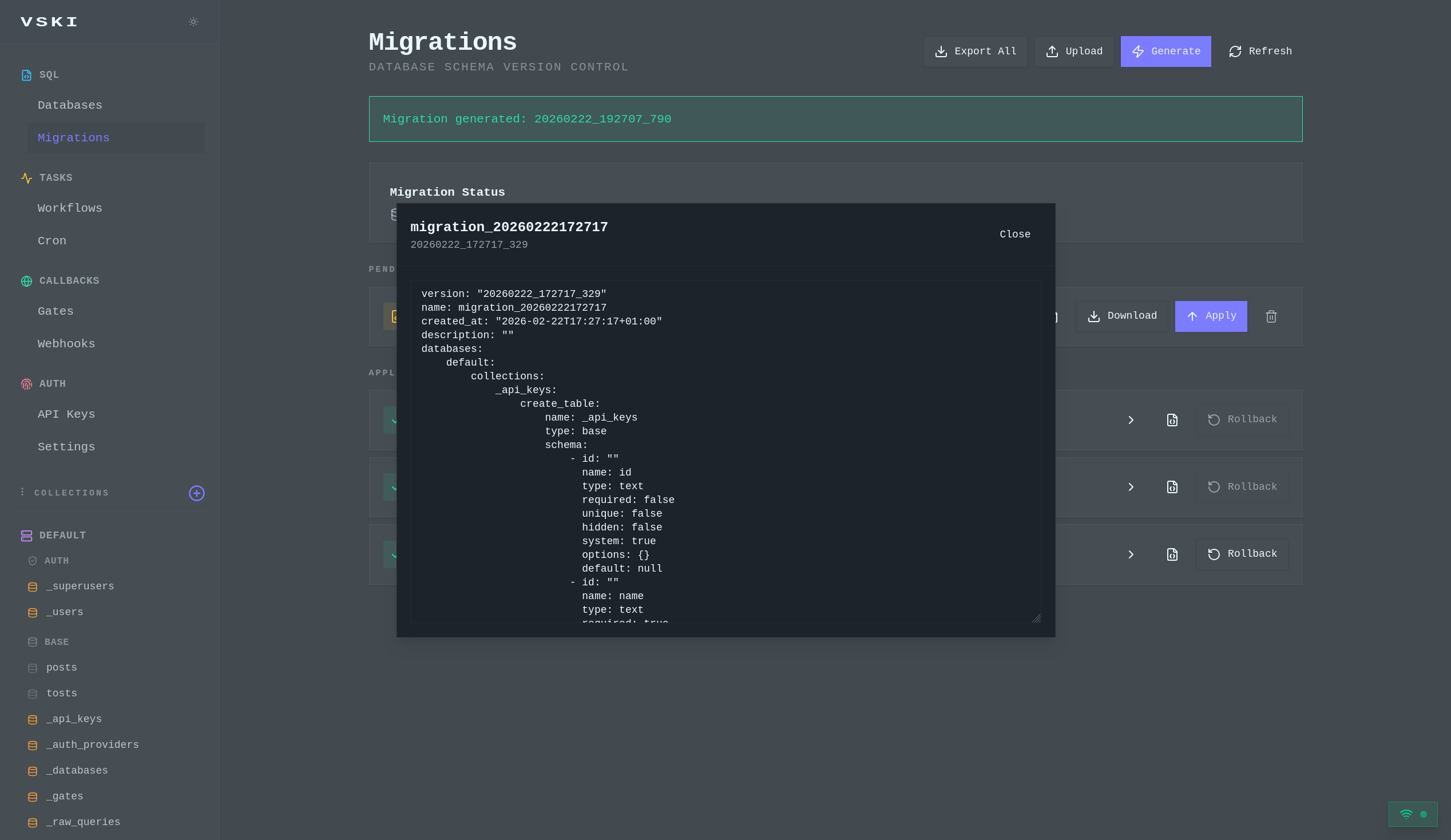
Generating Migrations
Section titled “Generating Migrations”You can generate a new migration file based on the differences between your current database schema and a desired target state. This is typically done when you modify your collection schemas and want to record those changes as a migration.
Web UI: Click the “Generate” button on the Migrations page.
vski migrations generate --name add-posts --description "Add posts collection"vski migrations generate --out pending.yaml # write to a file insteaddiff = await client.migrations.generate(name="add-posts")print(diff)The generated migration is automatically saved to the data/migrations
directory as a pending migration.
Applying Migrations
Section titled “Applying Migrations”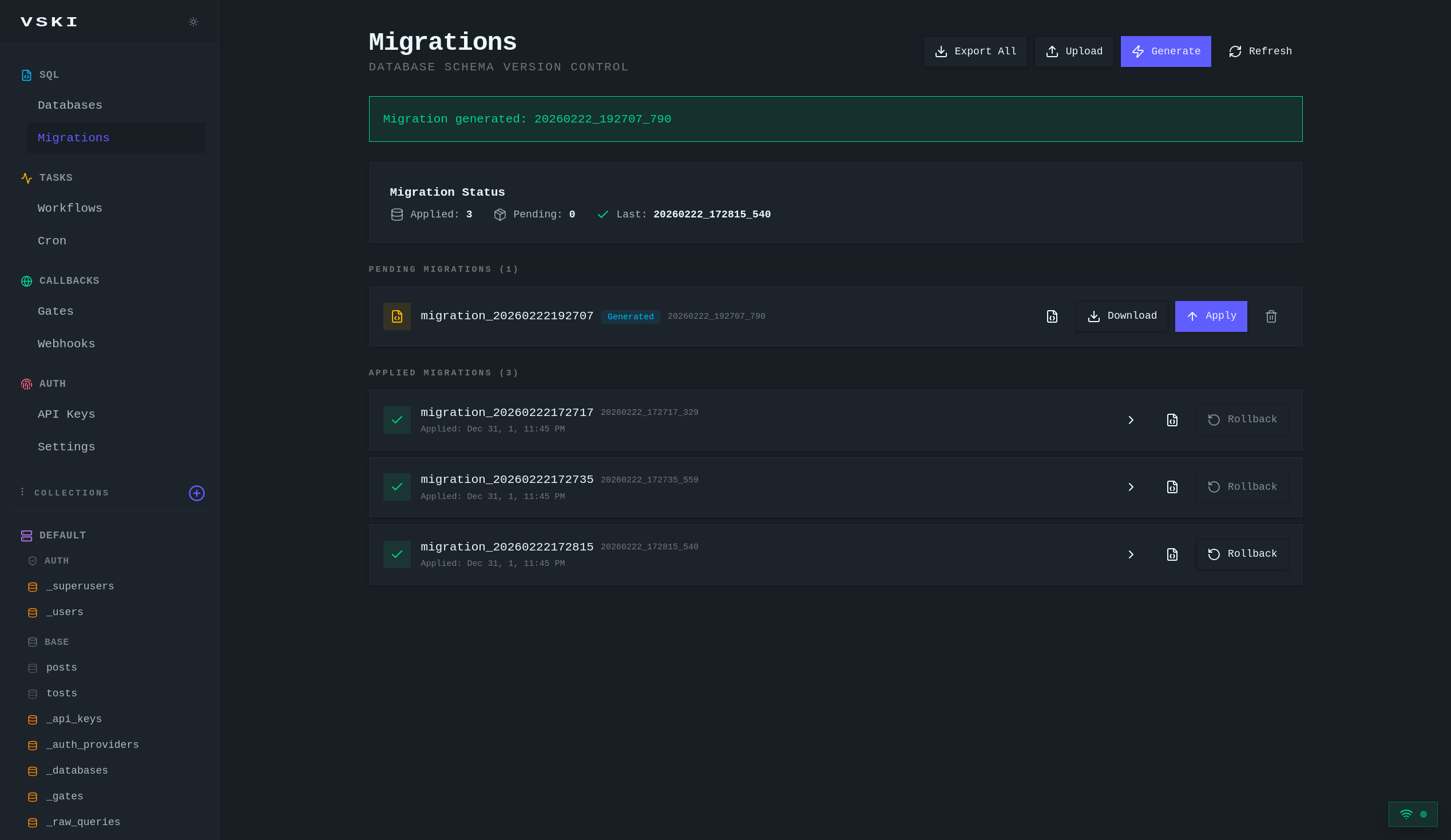
Applying a migration executes the defined collection operations against the
database, updating the schema. VSKI records the applied migration in the
_migrations table and stores a schema snapshot for rollback.
Web UI: Click “Apply” button next to a pending migration.
vski migrations apply 20260222_113100_770await client.migrations.apply("20260222_113100_770")The system will:
- Execute all
create_tableoperations - Add
add_columnsto existing collections - Remove
drop_columnsfrom collection metadata (soft delete) - Create/drop indexes, views, and FTS tables as specified
- Update access rules if defined
- Record the migration in
_migrationstable with a pre-migration snapshot
Rolling Back Migrations
Section titled “Rolling Back Migrations”Rolling back a migration restores the database schema to the state captured in
the pre-migration snapshot stored in the _migrations table. This is done by
comparing the snapshot against the current state and reverting changes.
Web UI: Click the “Rollback” button next to an applied migration.
vski migrations rollback 20260222_113100_770await client.migrations.rollback("20260222_113100_770")Listing Migrations
Section titled “Listing Migrations”You can view a list of all migration files found in data/migrations/ and their
current status (applied, pending, failed).
Web UI: The Migrations page displays both applied and pending migrations.
vski migrations listvski migrations statusresult = await client.migrations.list()for m in result.get("migrations", result if isinstance(result, list) else []): print(m["version"], m.get("status"))Downloading / Exporting Migrations
Section titled “Downloading / Exporting Migrations”Individual migration YAML files can be downloaded, and all migrations can be exported as a ZIP archive.
Web UI: “Download” button for individual migrations, “Export All” button for a ZIP archive.
vski migrations export --out migrations.zipyaml_text = await client.migrations.download("20260222_113100_770")zip_bytes = await client.migrations.export()Path("migrations.zip").write_bytes(zip_bytes)Uploading / Importing Migrations
Section titled “Uploading / Importing Migrations”You can upload individual migration YAML files or import a ZIP archive containing multiple migrations.
Web UI: “Upload” button on the Migrations page.
vski migrations upload pending.yamlawait client.migrations.upload(Path("pending.yaml").read_bytes())await client.migrations.import_zip(Path("migrations.zip").read_bytes())Deleting Migrations
Section titled “Deleting Migrations”Web UI: “Delete” button next to a pending migration.
vski migrations rm 20260222_113100_770await client.migrations.delete("20260222_113100_770")Best Practices
Section titled “Best Practices”- Version Control: Always keep your migration files under version control (e.g. Git). This ensures a historical record of your schema changes.
- Test Migrations: Thoroughly test your migrations in a development or staging environment before applying them to production.
- Backup Your Data: Before applying any migration, especially in production, always back up your database.
- Clear Naming Conventions: Use descriptive names for your migration files
and within the YAML
namefield to clearly indicate their purpose. - Small, Focused Migrations: Prefer creating small, atomic migrations that address a single schema change, rather than large, monolithic ones. This makes them easier to understand, review, and rollback.
- Never Edit Applied Migrations: Once a migration has been applied, do not modify its content. If you need to make changes, create a new migration or rollback the existing one and then create a new one.
API Endpoints
Section titled “API Endpoints”| Method | Endpoint | Description |
|---|---|---|
GET | /api/migrations | List all migrations (applied and pending) |
GET | /api/migrations/status | Get the current status of the migration system |
GET | /api/migrations/generate | Generate a new migration file from schema diff |
POST | /api/migrations/save | Save a generated migration to a file |
GET | /api/migrations/load | Load a migration from a file |
POST | /api/migrations/upload | Upload a migration file |
GET | /api/migrations/export | Export all migrations as a ZIP file |
POST | /api/migrations/import | Import migrations from a ZIP file |
GET | /api/migrations/{version}/download | Download a specific migration file as YAML |
POST | /api/migrations/{version}/apply | Apply a migration |
POST | /api/migrations/{version}/rollback | Rollback a migration |
DELETE | /api/migrations/{version} | Delete a migration file and its record from the database |