
Dashboard Widgets
The dashboard normally renders for a human clicking through the sidebar: breadcrumbs, the connection badge, settings buttons. A widget is the same page without that navigation chrome: dense, still interactive, and addressed by a stable URL. Open one when a person should see or act on something in the deployment without being walked through the dashboard first.
Two URL shapes matter:
/w/...opens a widget directly. The page keeps its own actions (create, edit, delete, run, approve, reject, save) and drops only the shell./connect?endpoint=<deployment>&path=<widget>is the handoff. It saves the deployment in the browser, sends the user to login only if needed, and then returns topath. Use it for the first view in a browser that may not have a session yet.
In Harness, the /connect URL returned by the dashboard helper carries the
user credential the harness already holds, so the integrated browser signs in
and lands on the widget. Treat that URL as a one-shot secret: open it
immediately, never print it, and never reuse it in another message. A direct
/w/... URL carries no credential and assumes the tab is already signed in.
What it looks like
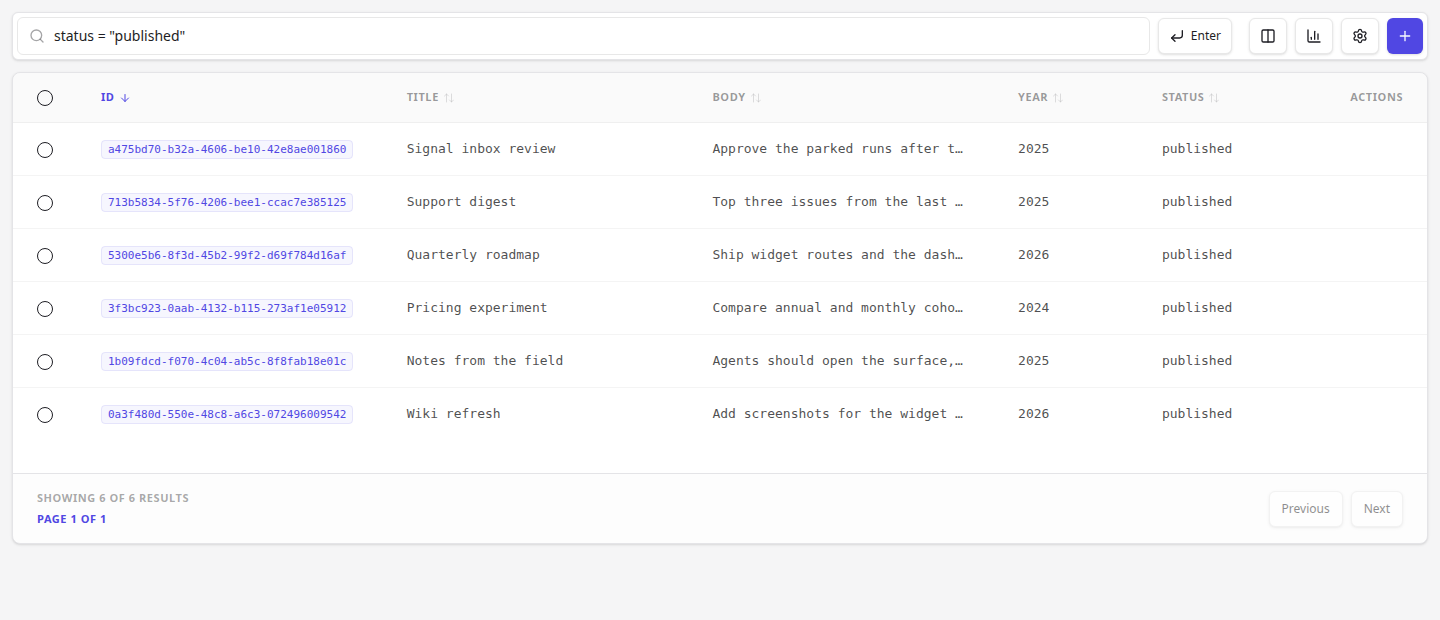
Section titled “What it looks like”A collection widget with the filter already applied:
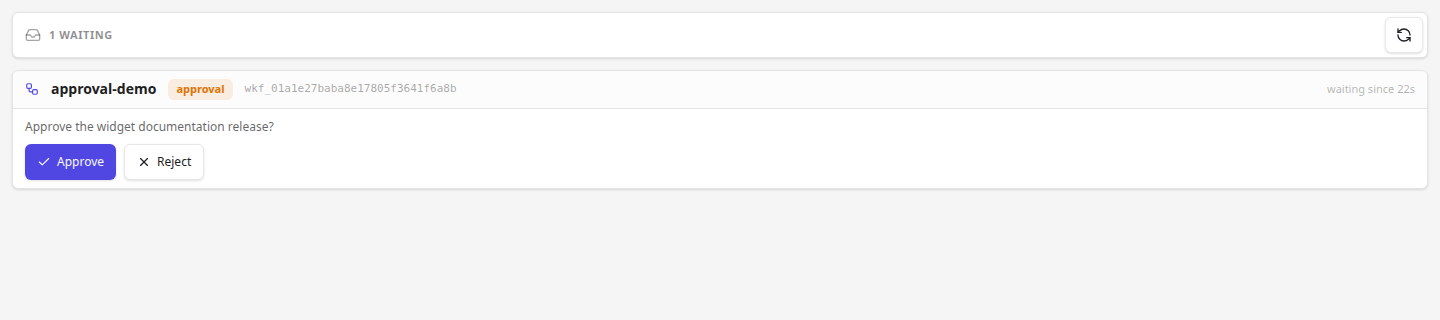
The signal inbox is the main human-in-the-loop surface. A parked run shows what it waits for and an approve/reject form:
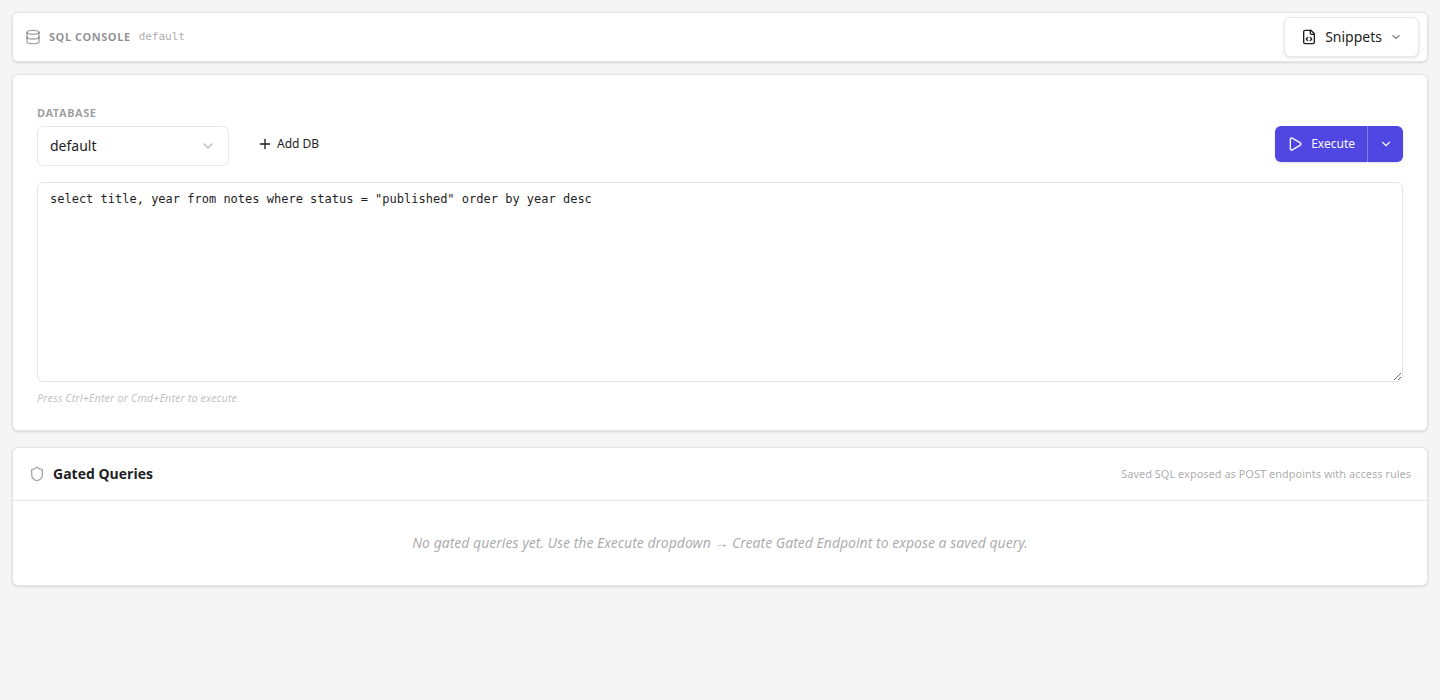
The SQL console with a query inserted but not executed. This is the default for agents: fill the editor, let the human run it:
Endpoints
Section titled “Endpoints”Every route below also exists without /w as a full dashboard page. Widget
mode strips navigation only; it never removes a capability.
| Surface | Path | Parameters | Actions kept |
|---|---|---|---|
| Overview | /w/overview | — | chart expand |
| Collection records | /w/collections/:name | filter, sort (-field descending), page, perPage, db, action (create, stats, run) | create, edit, delete, bulk, column select |
| Collection stats | /w/collections/:name/stats | db | — |
| Collection record | /w/collections/:name/:id | db | edit, delete |
| New collection | /w/collections/create | db | schema builder, save |
| Workflows | /w/workflows | filter | create run, cancel |
| Workflow run | /w/workflows/:runId | — | cancel, retry, approve/reject a waiting signal |
| Signal inbox | /w/signals | — | approve/reject per waiting signal |
| Pipelines | /w/pipelines | filter | create, edit, delete, run |
| Pipeline editor | /w/pipelines/:name | — | edit definition, run, save |
| Connectors | /w/connectors | filter | add, edit, connect, test, delete |
| Graphs | /w/graphs | filter, db | create, delete |
| Graph | /w/graphs/:name | db | node/edge edit |
| New graph | /w/graphs/create | db | graph builder, save |
| Cron | /w/cron | filter, action (create) | create, edit, delete, run now |
| Gates | /w/gates | filter | create, edit, delete |
| Webhooks | /w/webhooks | status, collection | create, edit, delete |
| API keys | /w/api-keys | filter | create, revoke |
| Secrets | /w/secrets | filter | create, edit, delete |
| Plugins | /w/plugins | filter | enable, disable, restart |
| Migrations | /w/migrations | filter | apply, review |
| Logs | /w/logs | filter | follow, filter |
| SQL console | /w/sql | database (db also accepted), sql, execute | run, save, export |
| Settings | /w/settings | — | edit sections |
| Authentication | /w/settings/auth | — | edit providers, rules |
The SQL console is a human-in-the-loop surface, not a read shortcut.
/w/sqlcan execute SQL, so it is an injection path. An agent should insert the query and leave it unexecuted; setexecute=trueonly when the user explicitly asks to run that query. Never build SQL from untrusted text (a record, a webhook body, a page) and execute it. To read data yourself, use the collection, graph, or SDK/API surfaces instead of driving the console.
Additional parameter notes:
dbselects another database on the collection, graph, and SQL surfaces.action=createopens the record form directly;action=statsopens the collection stats body;action=runstarts the run form.- On the SQL console,
databaseis the canonical parameter anddbis an alias.sqlpre-fills the editor;execute=trueruns it on load. - Filters are the same expressions the dashboard uses, for example
status = "published"oryear = 2026.
For agents
Section titled “For agents”Open a widget when the user asks to see or act on deployment data. Do not dump the rows into chat when a table, a run, or an approval form is what they need.
- First view in a deployment in a browser that may not be signed in: use
/connectwith the widget path. The user signs in in the browser if needed, and lands on the widget afterwards. - The browser already has a signed-in dashboard tab for that deployment:
go straight to the widget path. If a direct widget shows a login form,
switch to
/connectwith the same path instead of retrying.credentialfromvski_dashboardonly means Harness holds a user credential; to check the browser, list tabs for the deployment origin and evaluate a session probe in one: readrb_conn:<endpoint>:tokenand verify it against/api/auth/me(or/api/admins/me). Return only the boolean. - Address things by the names the user chose: the deployment name, the collection name, the pipeline name, the graph name. Never invent an id-like label or rename one to tidy it.
- Hand over, do not reimplement. Widgets are interactive on purpose. Open the surface so the human can approve, edit, or run, then check the outcome through the API or CLI.
- Harness exposes this as the
vski_dashboardtool: pass the deployment name, a surface name (collection,signals,sql, …), optionalname/id, andvia: "connect"or"direct". Inconnectmode the URL signs the integrated browser in with the harness-held user credential; open it immediately and treat it as a one-shot secret. Other harnesses can build the same paths from the table above; thedashboardskill in the vski plugin carries the same guidance.